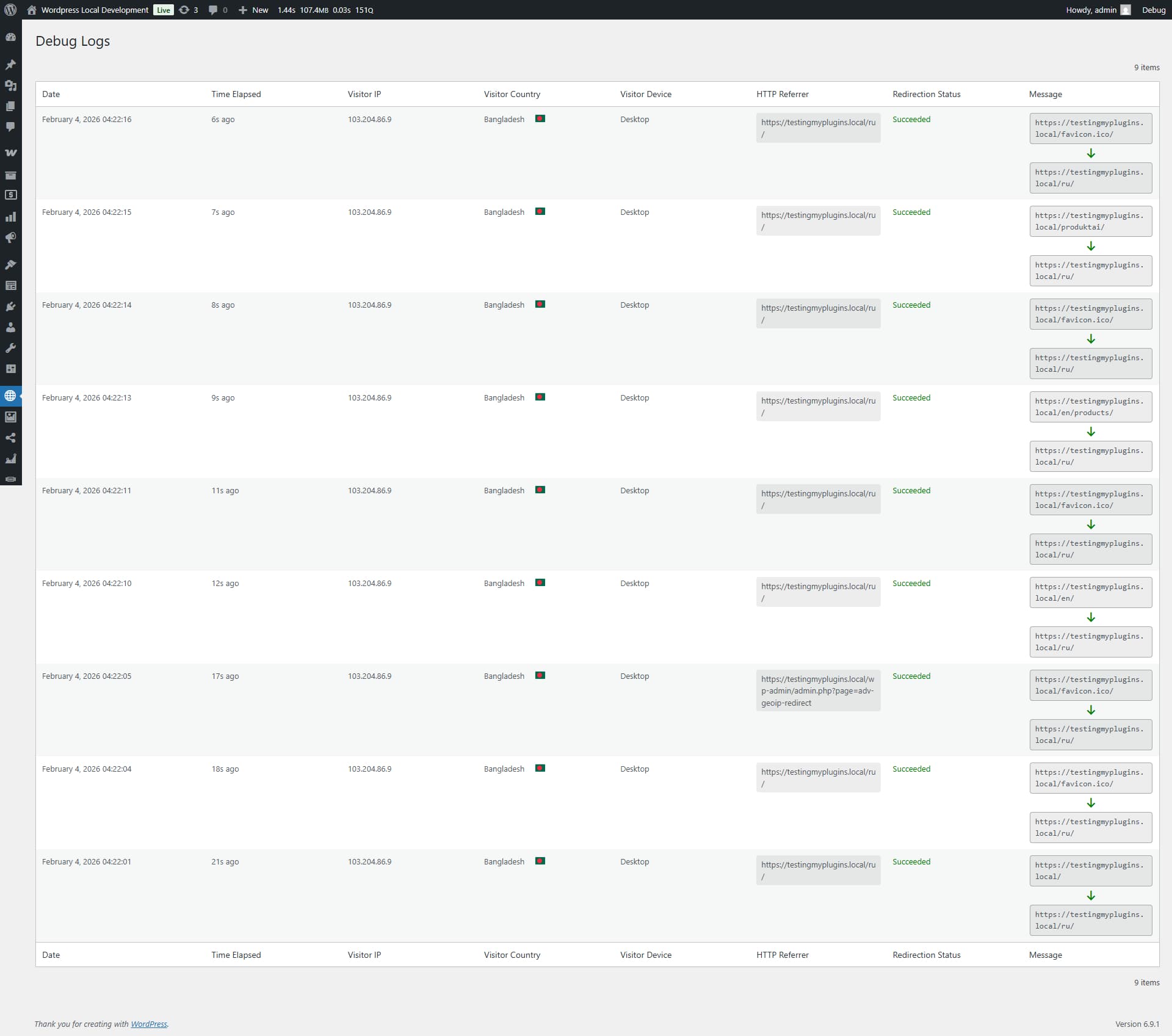
Mastering Advanced GeoIP Redirect Pro
Everything you need to know about setting up advanced location-based redirection on heavily cached WordPress sites.
Installation & Activation
Upload the adv-geoip-redirect-pro.zip file via Plugins > Add New > Upload. Click Activate to initialize the core plugin files on your WordPress site.

License Activation
After activation, you will be prompted to enter your license key. This key is provided in your purchase confirmation email. Activating the license unlocks the Pro features, automatic database updates, and priority support.
Your license key is managed via Freemius.
Configure Your First Redirect
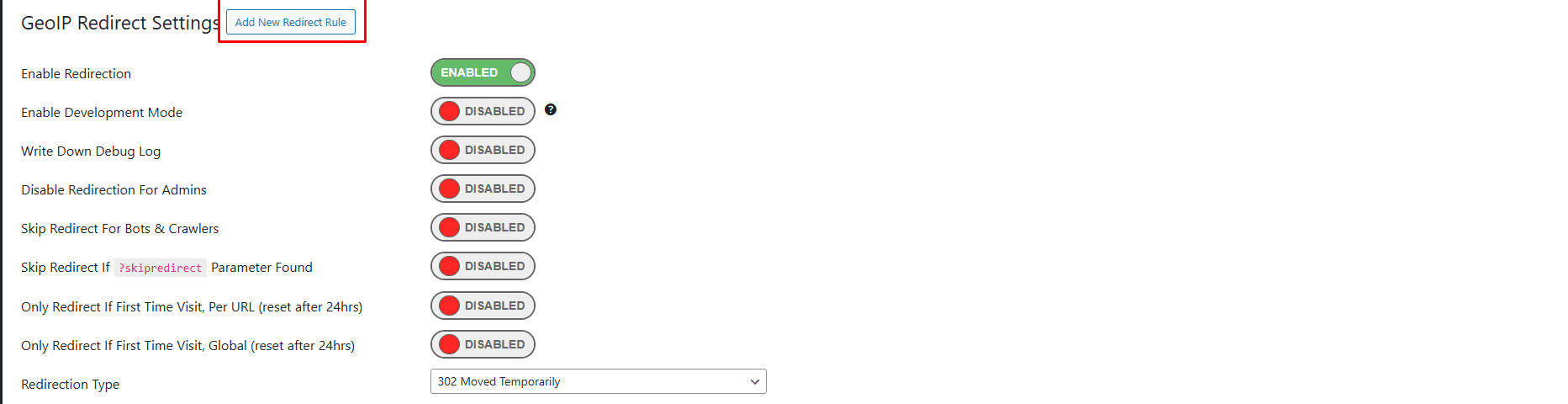
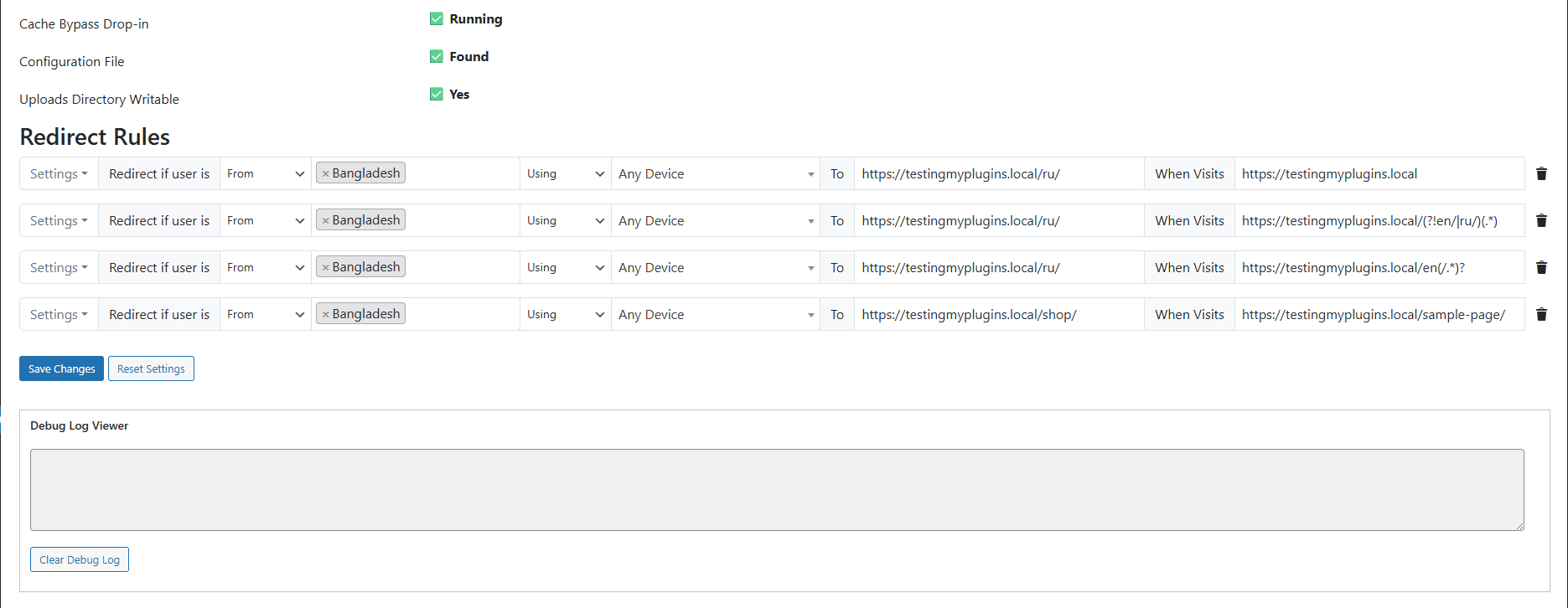
Navigate to Dashboard > GeoIP Redirect. Click "Add New Redirect Rule," define your target country, and set the destination URL. Your redirection logic is now live!
Key Concepts
Advanced GeoIP Redirect Pro is designed to work reliably on heavily cached WordPress environments. Understanding these core concepts will help you avoid misconfiguration and unlock advanced targeting.
Visitor Detection Phase
The visitor’s IP, country, device type, and user-agent are detected before page rendering, ensuring redirects execute even when full-page cache is enabled.
Single-Match Execution
Only the first matching rule is executed. This prevents conflicting redirects and guarantees deterministic behavior.
The GeoIP2 Database
Advanced GeoIP Redirect Pro utilizes the industry-standard MaxMind GeoIP2 Precision database. Unlike basic IP-to-Country lookups, our implementation includes high-frequency updates and localized data.
Database Auto-Updates
The Pro version automatically checks for binary updates to the `.mmdb` file every week, ensuring your redirection accuracy never drops due to outdated IP allocations.
The Rule Builder Logic
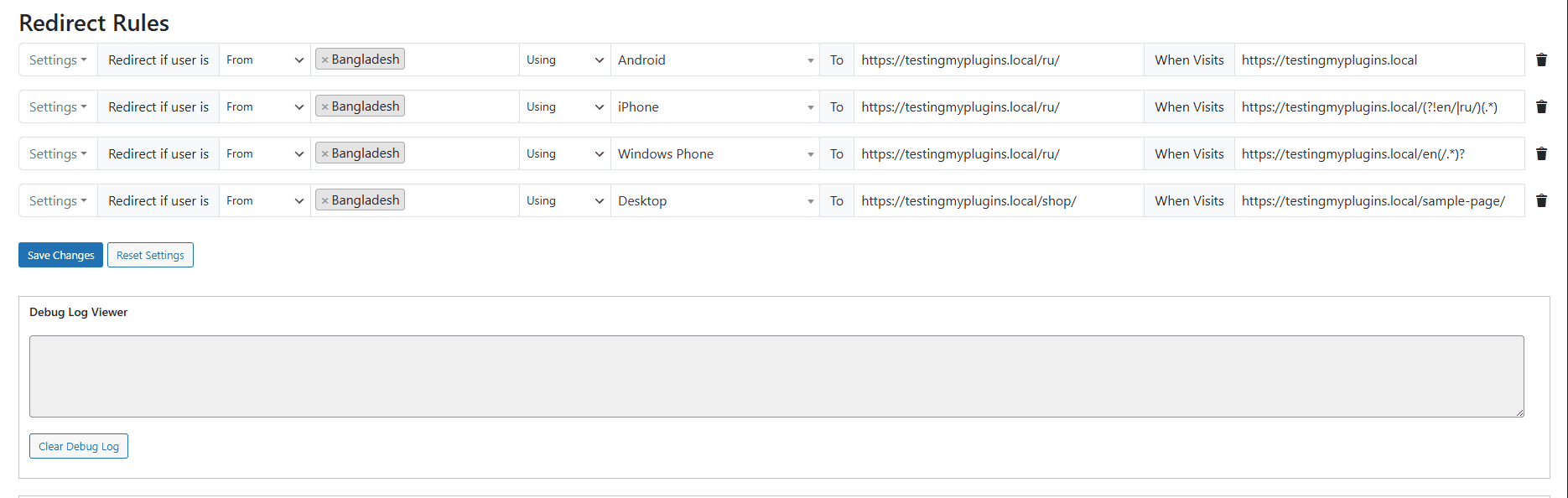
Rules are processed from top to bottom. This hierarchy is critical: if a visitor matches Rule #1, Rule #2 will never be evaluated.
Rule Grouping
Example: "UK Visitors on Mobile"
- Select Country: United Kingdom
- Select Device: Mobile
- Action: 301 Redirect to /uk-app/
Parameter Retention
Enable "Pass URL Parameters" to ensure your marketing data stays intact. If a user visits site.com/?utm_campaign=winter, they will be redirected to site.com/target/?utm_campaign=winter.
Inclusion Logic
Only trigger redirects if the visitor is from a specific set of countries. Ideal for localized marketing campaigns.
Exclusion Logic
Redirect everyone except those in your home country. Perfect for global compliance or tax-related landing pages.
Device & Platform Targeting
Not all redirects are created equal. Advanced GeoIP Redirect Pro allows you to segment users based on their hardware. This prevents "Broken UX" by ensuring mobile users aren't sent to desktop-only heavy pages.
- Mobile: iOS, Android, Windows Phone
- Tablet: iPads and Android Tablets
- Desktop: Mac OS, Windows, Linux
Pattern-Based Matching (Regex)
Standard redirects match exact URLs. **Regex (Regular Expressions)** allow you to match complex path patterns. This is essential for large e-commerce sites or news portals where you need to redirect entire categories or dynamic paths with a single rule.
Advanced Regex Reference Table
/sample-page/Specific page.
/en(/.*)?Multi language setup. When visiting any page which are /en/slug it will capture.
^/products/(.*)Wildcard matching for all product sub-pages.
/(en|es|fr)/shop/Captures specific language directories.
/brand-.*-sale/Matches any URL containing 'brand' followed by 'sale'.
^/202[0-6]/[0-9]{2}/Target specific year/month archive structures.
Dynamic Path Capture
By using parentheses (.*), you can capture any string after a specific path. This allows you to redirect users from yoursite.com/old-shop/product-a to newsite.com/product-a automatically without creating hundreds of individual rules.
Anchor & Boundary Matching
Use the ^ (caret) symbol to force the match to start from the beginning of the URL path. This prevents accidental matches where the string might appear in the middle of a different category name, ensuring 100% redirection accuracy.
Query Parameter Ignorance
Our Regex engine is designed to focus on the **Request URI**. This means you don't have to worry about complex UTM strings or tracking parameters breaking your Regex matches; the plugin filters the path first before applying the pattern.
Visual Analytics Dashboard
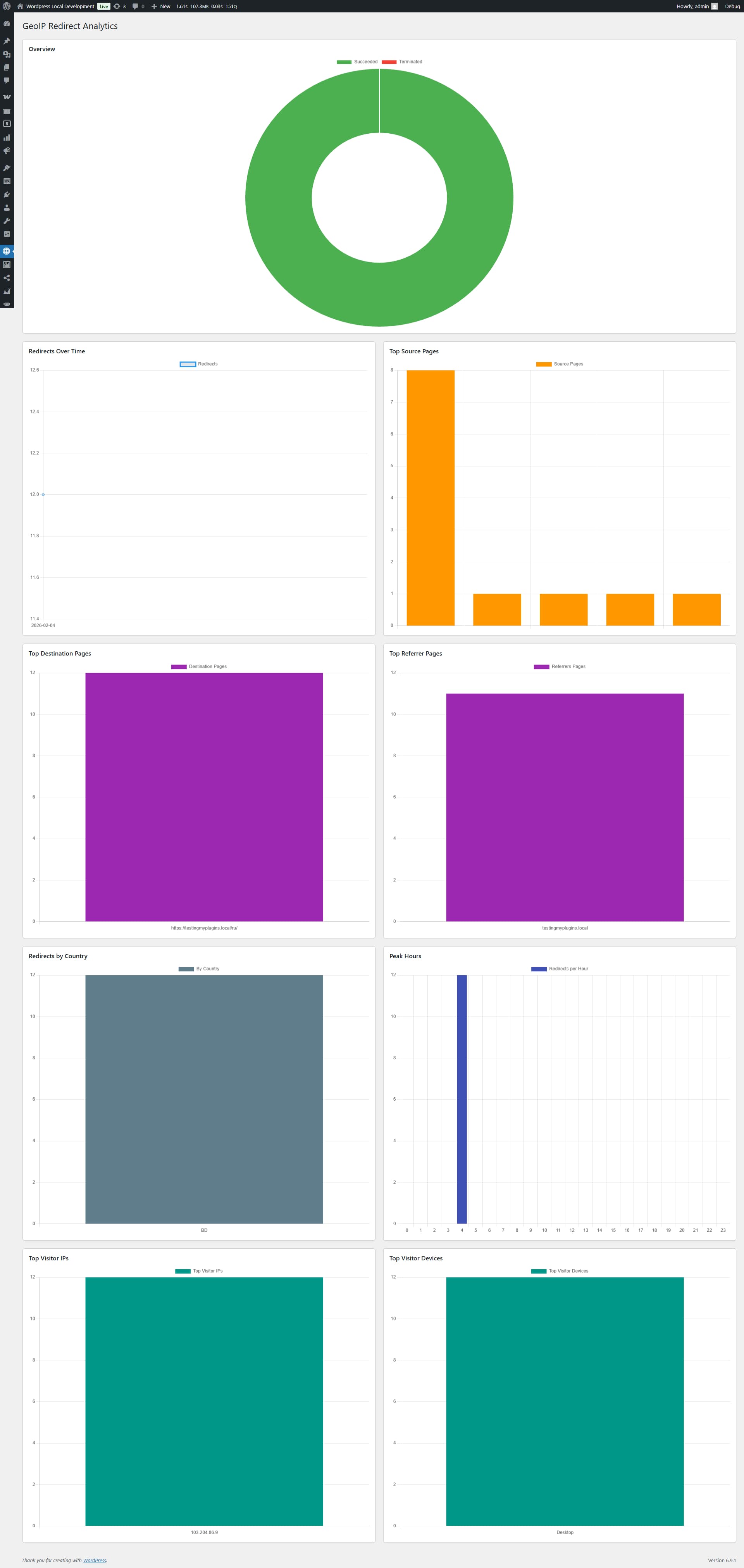
Understand your traffic flow with visual charts. The Pro dashboard gives you a 30-day view of which rules are being triggered the most.
Troubleshooting & Logs
The 24-Hour Rule
If a user manually switches back to the original page, Advanced GeoIP Redirect Pro will honor their choice and stop redirecting them for 24 hours via a browser-stored cookie.
Sample Debug Log Entry
[2026-02-04 04:22:01] Visitor IP 103.xxx.xxx.xxx Redirection Succeeded To https://mysite.com/ru/ From https://mysite.com/ desktop https://mysite.com/ru/
[2026-02-04 04:22:10] Visitor IP 103.xxx.xxx.xxx Redirection Succeeded To https://mysite.com/ru/ From https://mysite.com/en/ desktop https://mysite.com/ru/
[2026-02-04 04:22:13] Visitor IP 103.xxx.xxx.xxx Redirection Succeeded To https://mysite.com/ru/ From https://mysite.com/en/products/ desktop https://mysite.com/ru/
[2026-02-04 04:22:15] Visitor IP 103.xxx.xxx.xxx Redirection Succeeded To https://mysite.com/ru/ From https://mysite.com/produktai/ desktop https://mysite.com/ru/